
1. Click Contacts - LISTS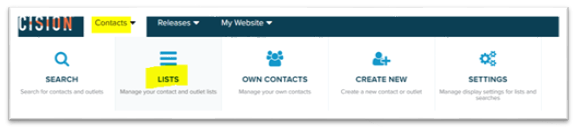
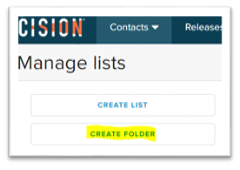
2. Click CREATE FOLDER
3. Name the list and where the folder should be located. Select "My Lists" the have the folder as a standalone folder. Select one of the excising folders a´to create a sub folder. Click CREATE NEW.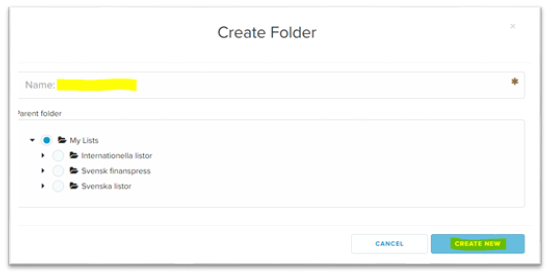
4. The folder is now created and lists can now be added to the folder.